Single Trait
The function gg_Manhattan() creates manhattan plots from
GAPIT GWAS results.
Specifying a folder and trait is all that
is needed to create manhattan plots.
# Plot
mp <- gg_Manhattan(
  # Specify a folder with GWAS results
  folder = "GWAS_Results/",
  # Select a trait to plot
  traits = "DTF_Nepal_2017" )
# Save
ggsave("figures/gg_Manhattan_01_DTF_Nepal_2017.png",
       mp, width = 12, height = 3.5, bg = "white" )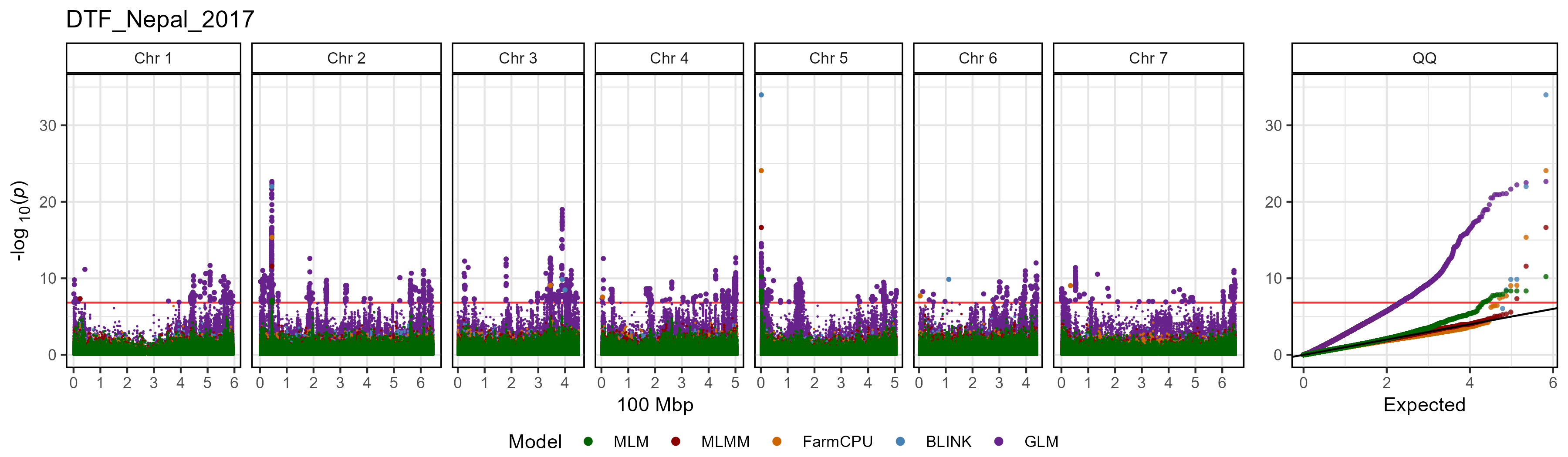
Plot all traits with a loop
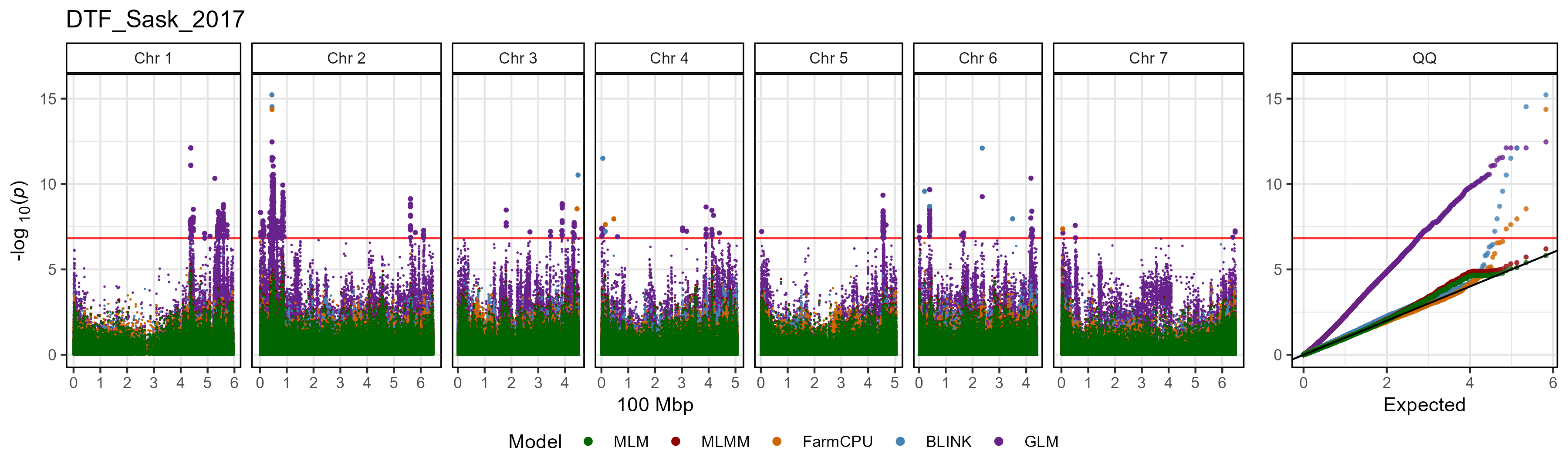
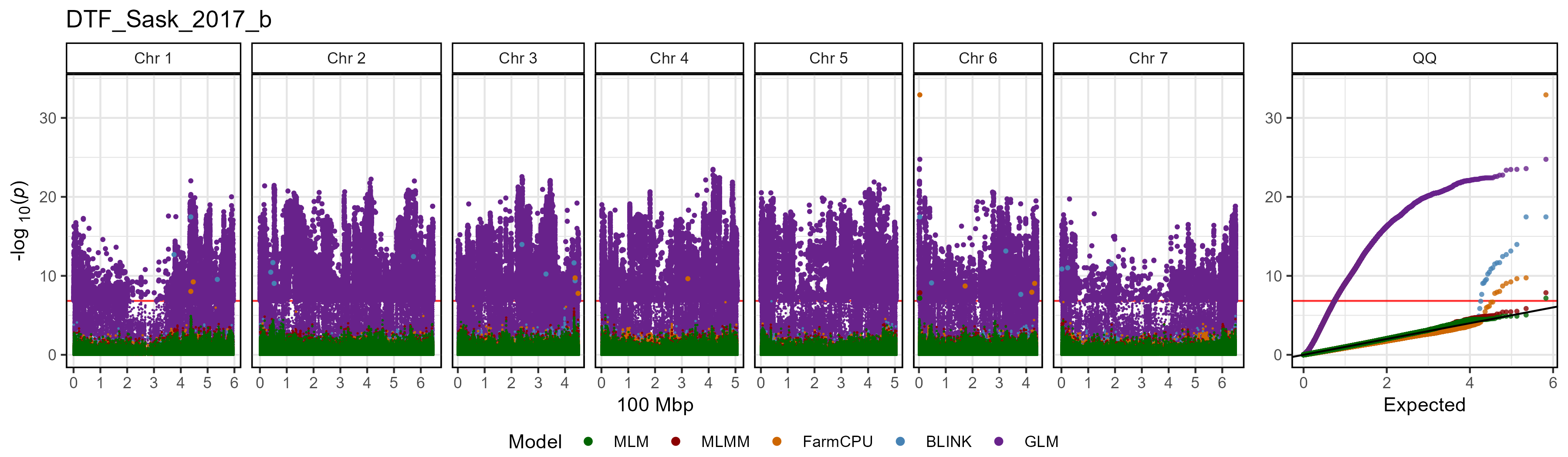
A simple loop can be used to plot GWAS results for each trait within
the specified folder.
# Create for loop
for(i in list_Traits(folder = "GWAS_Results/")) {
  # Plot
  mp <- gg_Manhattan(
    # Specify a folder with GWAS results
    folder = "GWAS_Results/",
    # Select a trait to plot
    traits = i )
  # Save
  ggsave(paste0("figures/gg_Manhattan_01_", i, ".png"),
         mp, width = 12, height = 3.5, bg = "white" )
}
All options
# Prep data
traits <- "DTF_Nepal_2017"
markers <- c("Lcu.1GRN.Chr2p44545877", "Lcu.1GRN.Chr5p1658484")
vlines <- markers
# Plot
mp <- gg_Manhattan(
  folder = "GWAS_Results/",
    traits = traits,
    title = paste(traits, collapse = " "),
    threshold = NULL,
    sug.threshold = NULL,
    chr = NULL,
    markers = markers,
    labels = markers,
    vlines = markers,
    vline.colors = rep("red", length(vlines)),
    vline.types = rep(1, length(vlines)),
    legend = T,
    legend.rows = 1,
    legend.box = "horizontal",
    point.sizes = c(0.3,1,0.75),
    pmax = NULL,
    pmin = 0,
    models =  c("MLM", "MLMM", "FarmCPU", "BLINK", "GLM", "CMLM", "SUPER"),
    model.colors = c("darkgreen", "darkred", "darkorange3", "steelblue",
                     "darkorchid4", "blue2", "magenta3"),
    trait.colors = gwaspr_Colors,
    facet.model = F,
    highlight.sig = F,
    sig.color = "black",
    chr.unit = "100 Mbp",
    plotHBPvalues = F,
    skyline = "NYC",
    addQQ = T )
# Save
ggsave("figures/gg_Manhattan_01_1.png",
       mp, width = 12, height = 3.5, bg = "white" )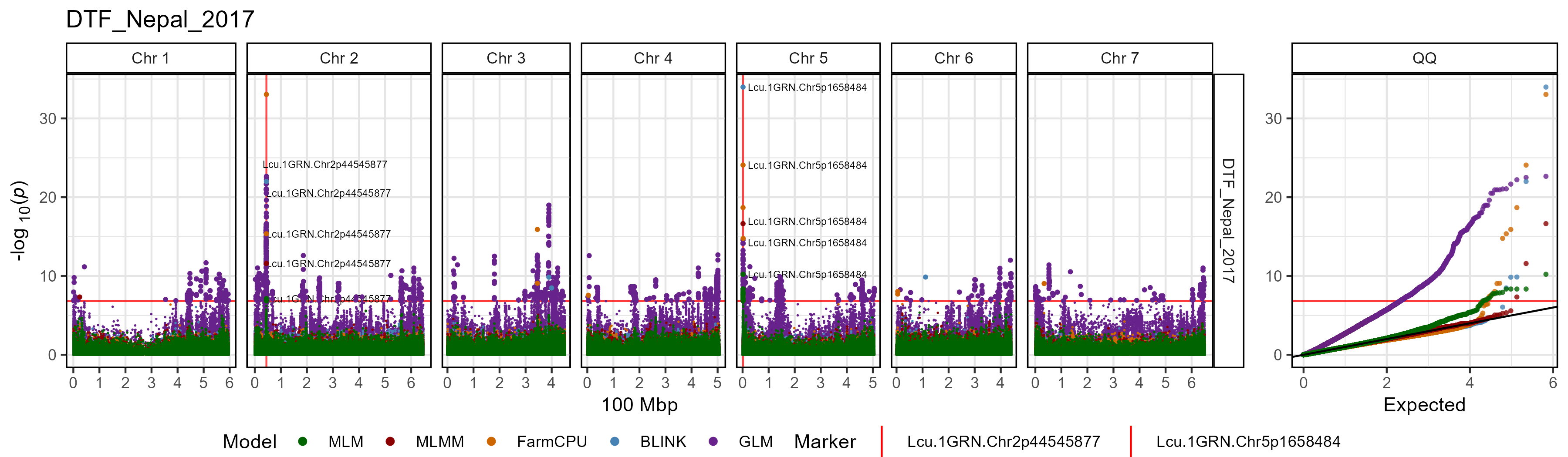
Multiple traits
# Plot
mp <- gg_Manhattan(
  # Specify a folder with GWAS results
  folder = "GWAS_Results/",
  # Select traits to plot
  traits = c("DTF_Nepal_2017", "DTF_Sask_2017", "DTF_Sask_2017_b"),
  # Specify GWAS models to plot
  models =  c("MLM", "MLMM", "FarmCPU", "BLINK") )
# Save
ggsave("figures/gg_Manhattan_02_1.png",
       mp, width = 12, height = 8, bg = "white" )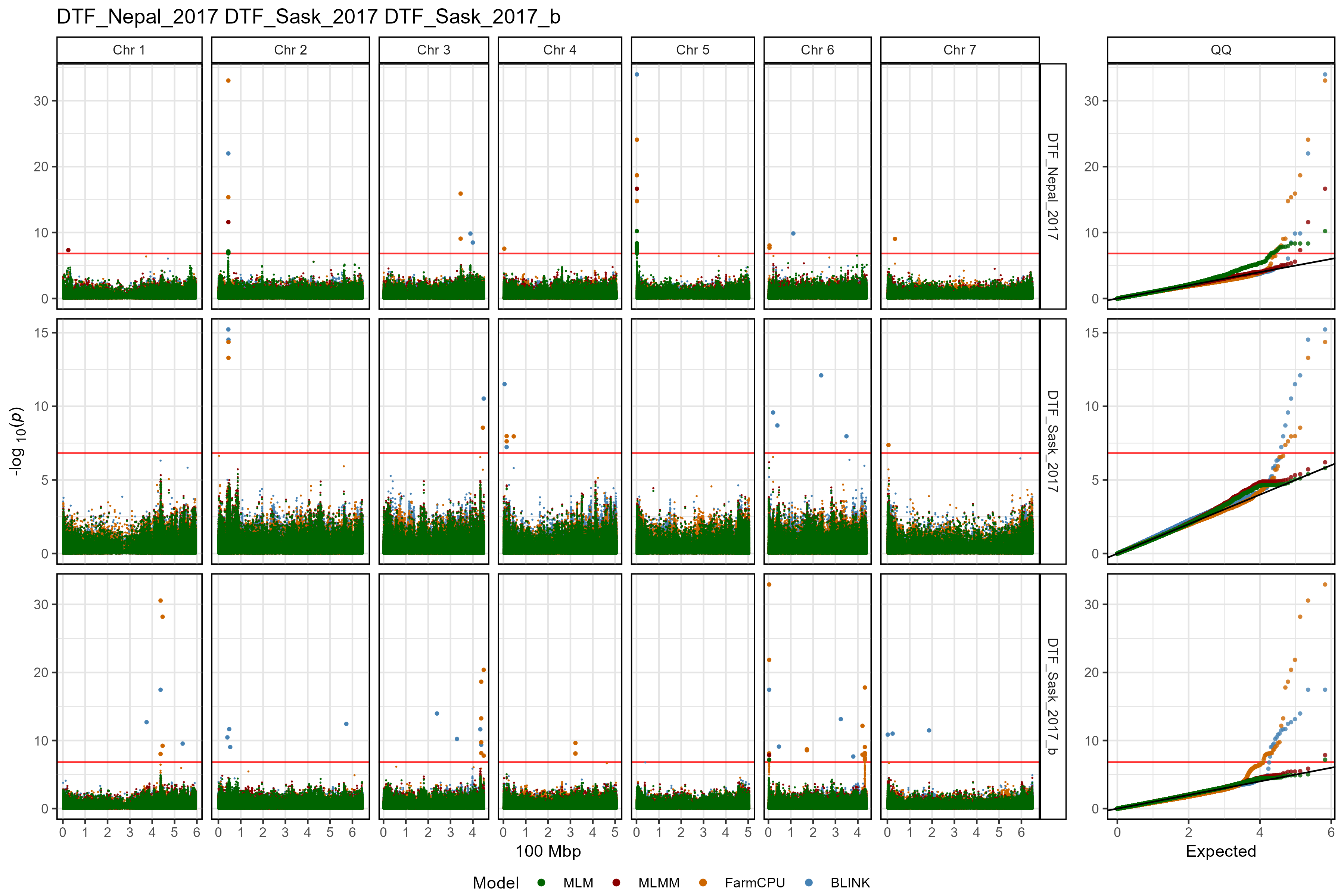
Customized plot
# Plot
mp <- gg_Manhattan(
  # Specify a folder with GWAS results
  folder = "GWAS_Results/",
  # Select traits to plot
  traits = c("DTF_Nepal_2017", "DTF_Sask_2017", "DTF_Sask_2017_b"),
  # Specify a title
  title = "Days to Flower",
  # Highlight specific markers
  markers = c("Lcu.1GRN.Chr2p44545877",
              "Lcu.1GRN.Chr5p1658484",
              "Lcu.1GRN.Chr6p3269280" ),
  # Create alt labels for the markers
  labels = c("44Mbp", "16Mbp", "32Mbp"),
  # Specify Color for each marker vline
  vline.colors = c("red", "red", "blue"),
  vline.types = c(2, 2, 1),
  # Change the legend alignment
  legend.box="vertical",
  # Specify GWAS models to plot
  models =  c("MLM", "MLMM", "FarmCPU", "BLINK") )
# Save
ggsave("figures/gg_Manhattan_02_2.png",
       mp, width = 12, height = 8, bg = "white" )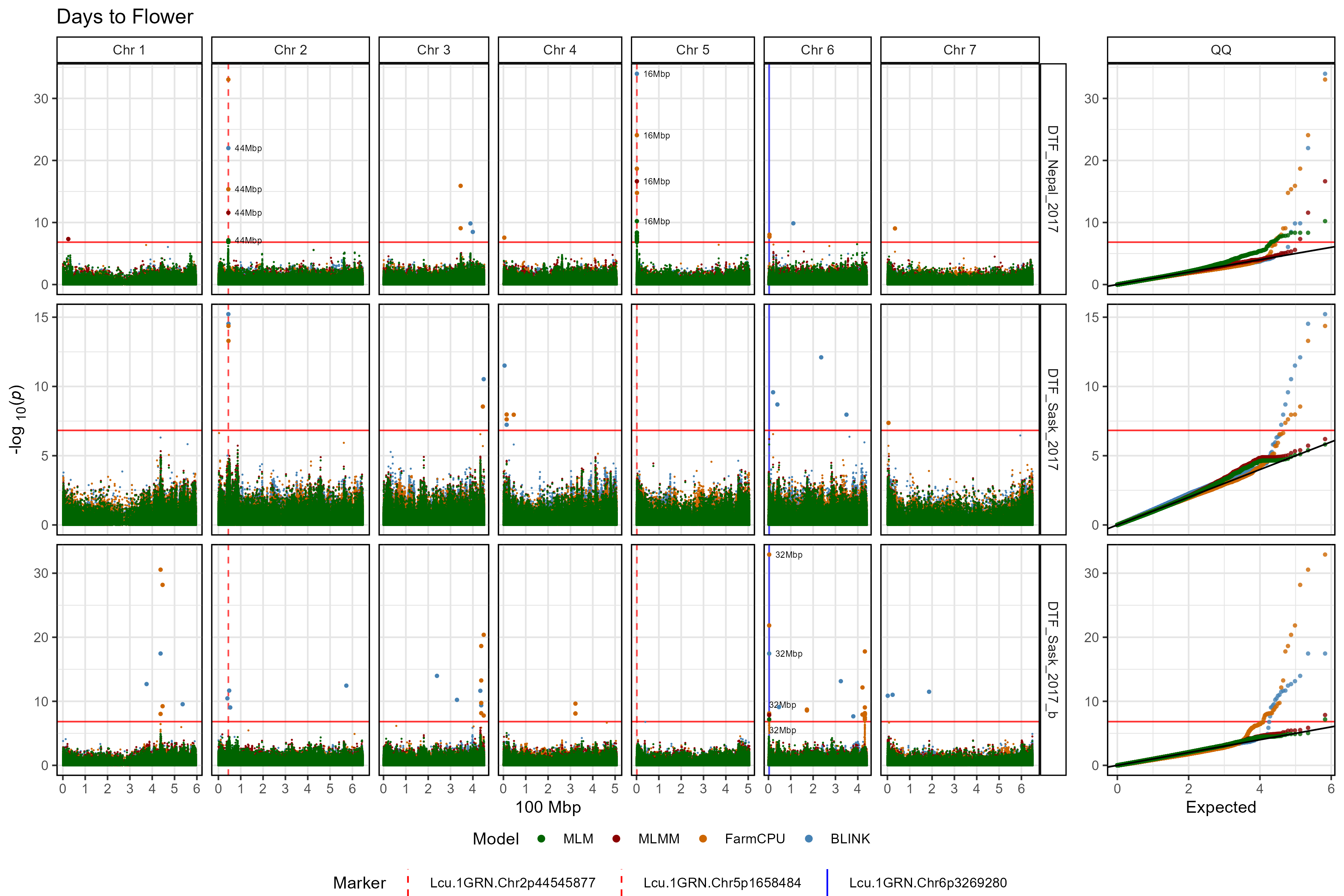
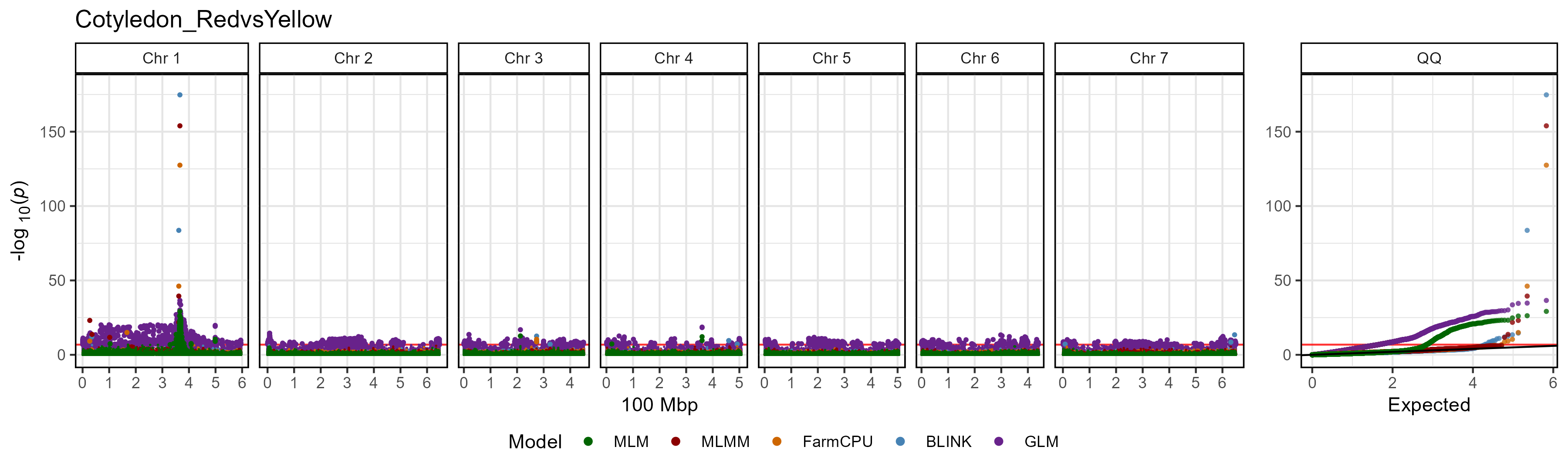
Facet by Model
The default setting for gg_Manhattan() is to set
facet.model = F which will plot all models together and
facet by trait if multiple traits are selected. By changing
facet.model = T we can separate each GWAS model. When
setting facet.model = T, points are now colored by trait,
which can be changed with trait.colors. Significant
associations can also be highlighted by setting
highlight.sig and sig.color.
# Plot
mp <- gg_Manhattan(
  # Specify a folder with GWAS results
  folder = "GWAS_Results/",
  # Select a trait to plot
  traits = "Cotyledon_RedvsYellow",
  # Facet out the different GWAS models
  facet.model = T,
  # Set chromosome colors
  trait.colors = gwaspr_Colors )
# Save
ggsave("figures/gg_Manhattan_03_1.png",
       mp, width = 12, height = 8, bg = "white" )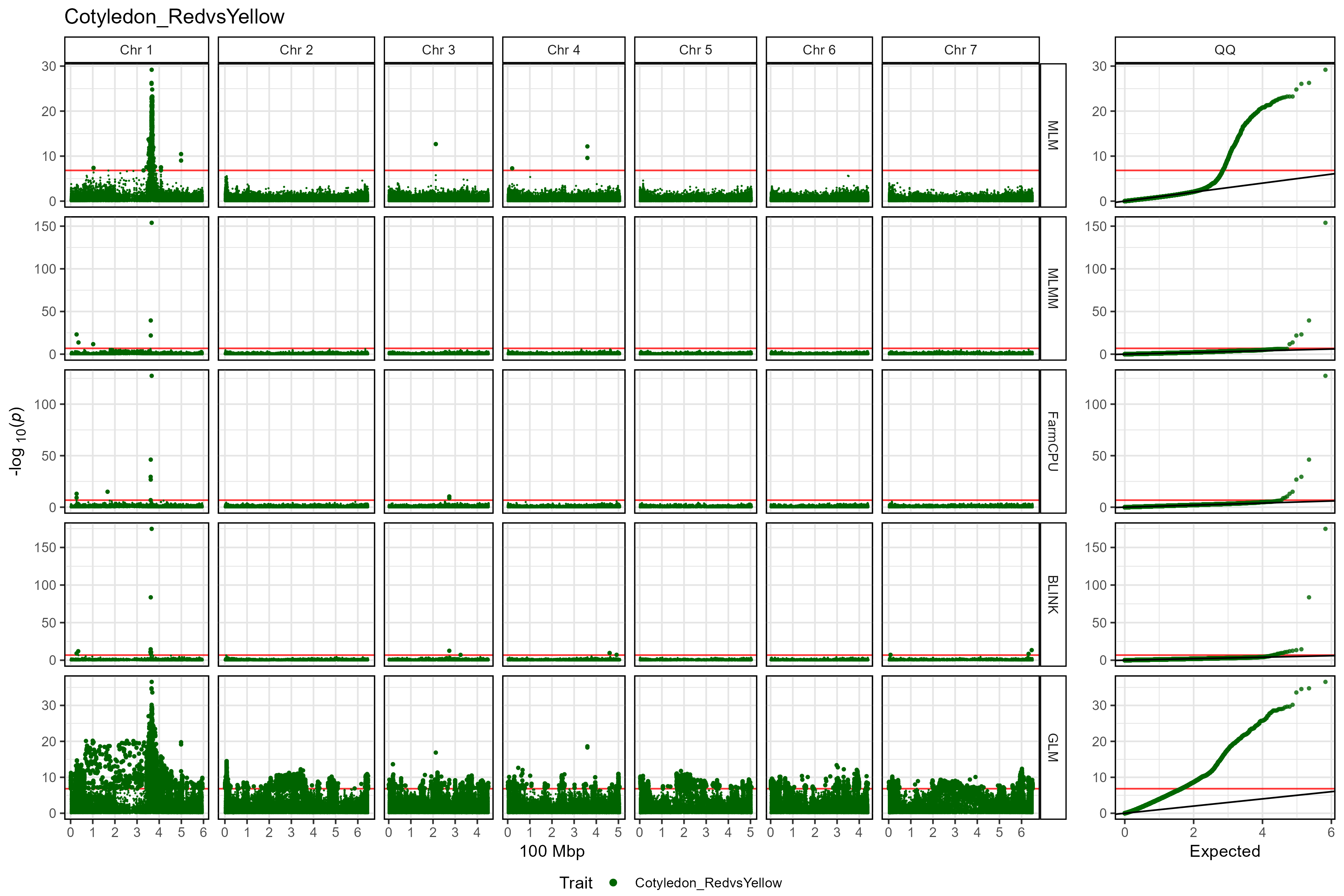
Multiple traits
# Plot
mp <- gg_Manhattan(
  # Specify a folder with GWAS results
  folder = "GWAS_Results/",
  # Select traits to plot
  traits = c("DTF_Nepal_2017", "DTF_Sask_2017", "DTF_Sask_2017_b"),
  # Facet out the different GWAS models
  facet.model = T )
# Save
ggsave("figures/gg_Manhattan_03_2.png",
       mp, width = 12, height = 8, bg = "white" )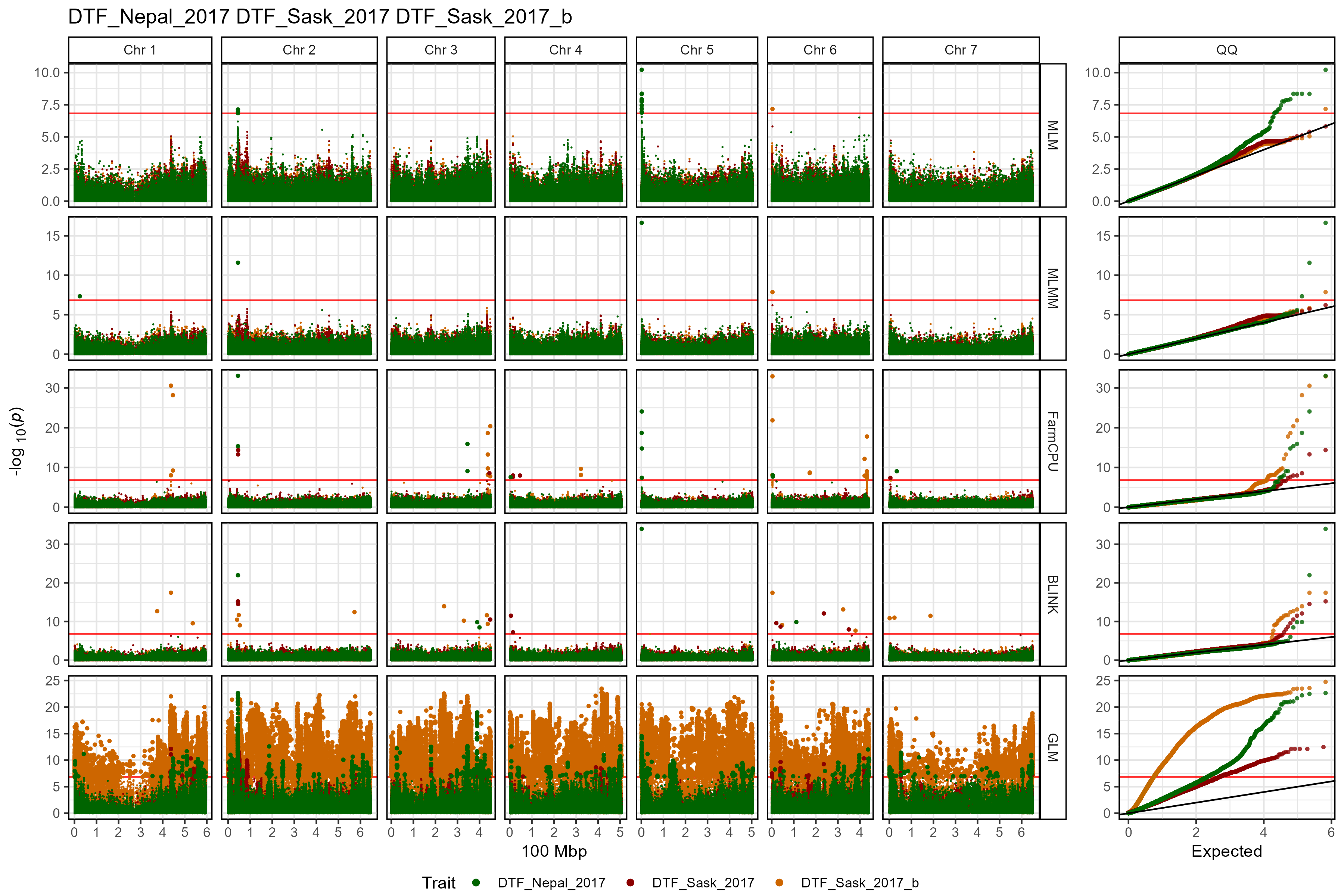
Customized plot
# Plot
mp <- gg_Manhattan(
  # Specify a folder with GWAS results
  folder = "GWAS_Results/",
  # Select traits to plot
  traits = c("DTF_Nepal_2017", "DTF_Sask_2017", "DTF_Sask_2017_b"),
  # Specify a title
  title = "Days to Flower",
  # Add vertical lines
  vlines = c("Lcu.1GRN.Chr2p44545877",
              "Lcu.1GRN.Chr5p1658484",
              "Lcu.1GRN.Chr6p3269280" ),
  vline.colors = c("red", "red", "blue"),
  vline.types = c(2, 2, 1),
  # Change the legend alignment
  legend.box="vertical",
  # Choose a GWAS model
  models =  c("MLM","MLMM","FarmCPU","BLINK"),
  # Facet out the different GWAS models
  facet.model = T )
# Save
ggsave("figures/gg_Manhattan_03_3.png",
       mp, width = 12, height = 8, bg = "white" )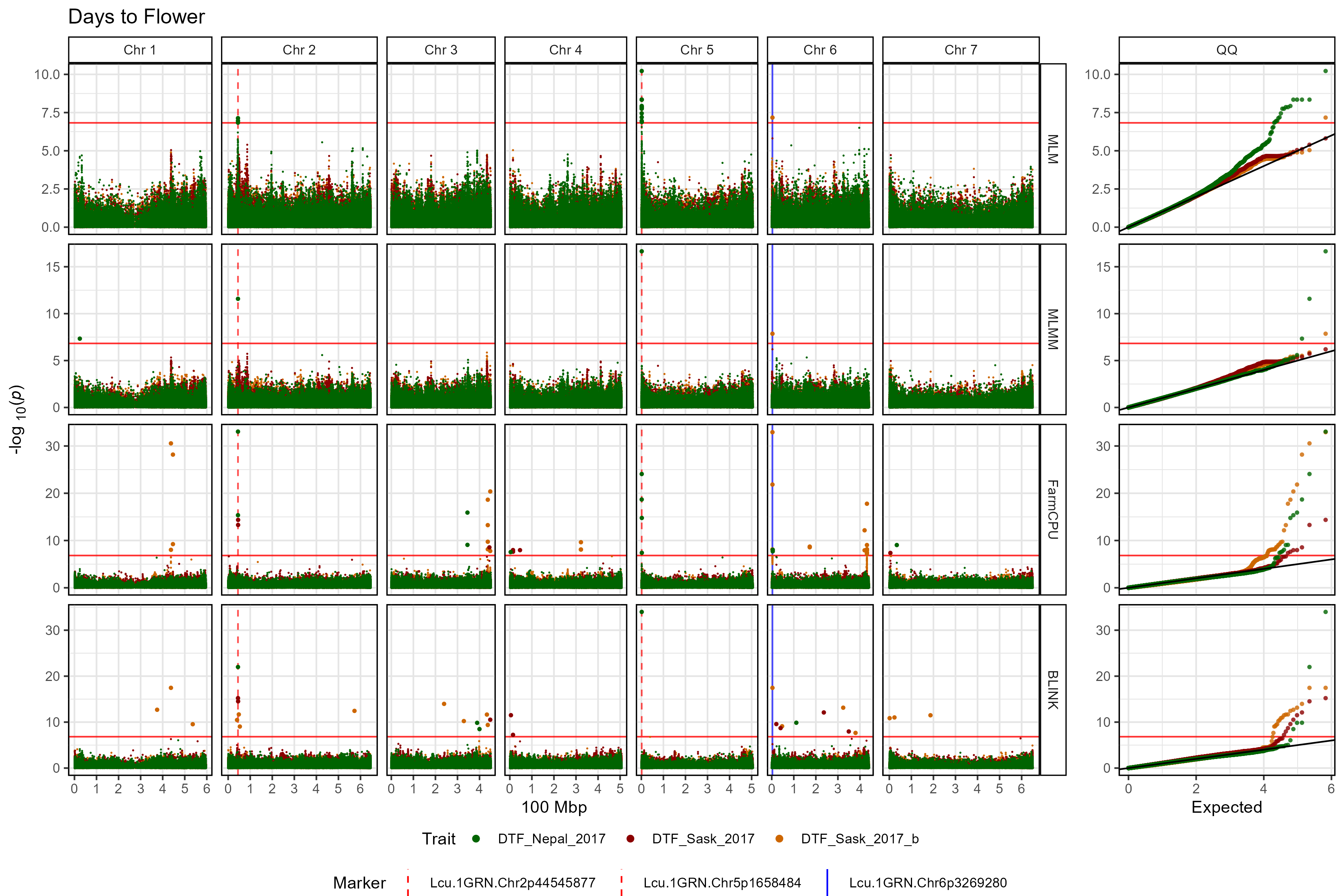
Single model, multiple traits
# Plot
mp <- gg_Manhattan(
  # Specify a folder with GWAS results
  folder = "GWAS_Results/",
  # Select traits to plot
  traits = c("DTF_Nepal_2017", "DTF_Sask_2017", "DTF_Sask_2017_b"),
  # Specify a title
  title = "Days to Flower",
  # Set horizontal thresholds bars
  threshold = 6.7,
  sug.threshold = 5,
  # Add vertical lines
  vlines = c("Lcu.1GRN.Chr2p44545877",
              "Lcu.1GRN.Chr5p1658484",
              "Lcu.1GRN.Chr6p3269280" ),
  vline.colors = c("red", "red", "blue"),
  vline.types = c(2, 2, 1),
  # Change the legend alignment
  legend.box="vertical",
  # Choose a GWAS model
  models =  "MLM",
  # Facet out the different GWAS models
  facet.model = T )
# Save
ggsave("figures/gg_Manhattan_03_4.png",
       mp, width = 12, height = 3.5, bg = "white" )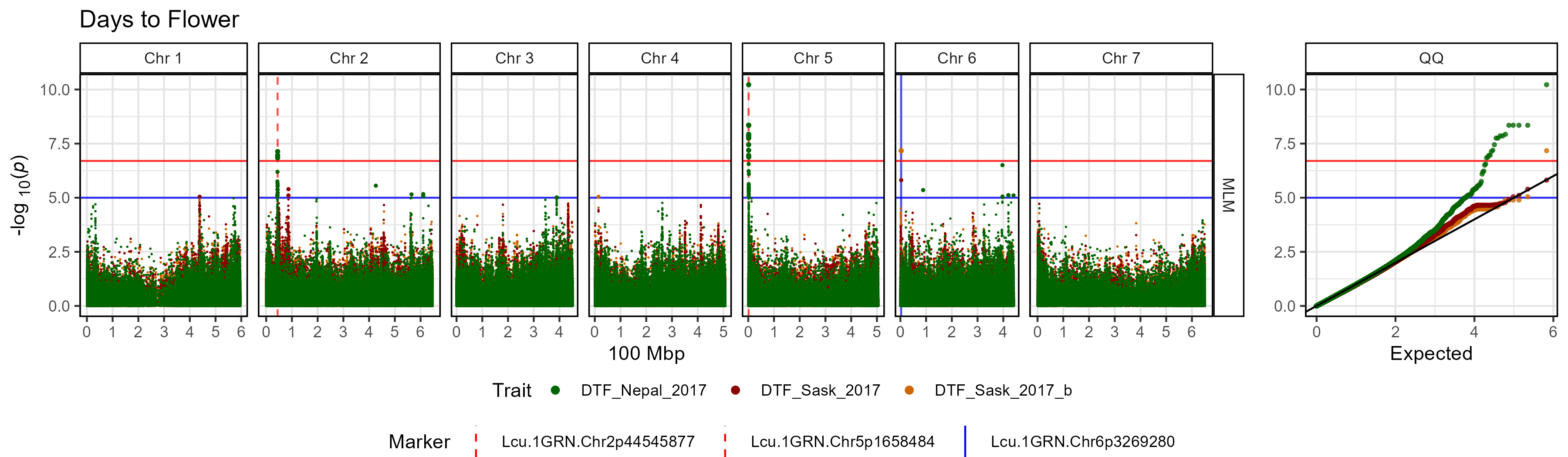
Single Chromosome
A single chromosome can be plotted by setting chr. The
x-axis can also be adjusted by setting chr.unit.
# Plot
mp <- gg_Manhattan(
  # Specify a folder with GWAS results
  folder = "GWAS_Results/",
  # Select a trait to plot
  traits = "DTF_Nepal_2017",
  # Select a chromosome to plot
  chr = 2 )
# Save
ggsave("figures/gg_Manhattan_04_1.png",
       mp, width = 7, height = 3.5, bg = "white" )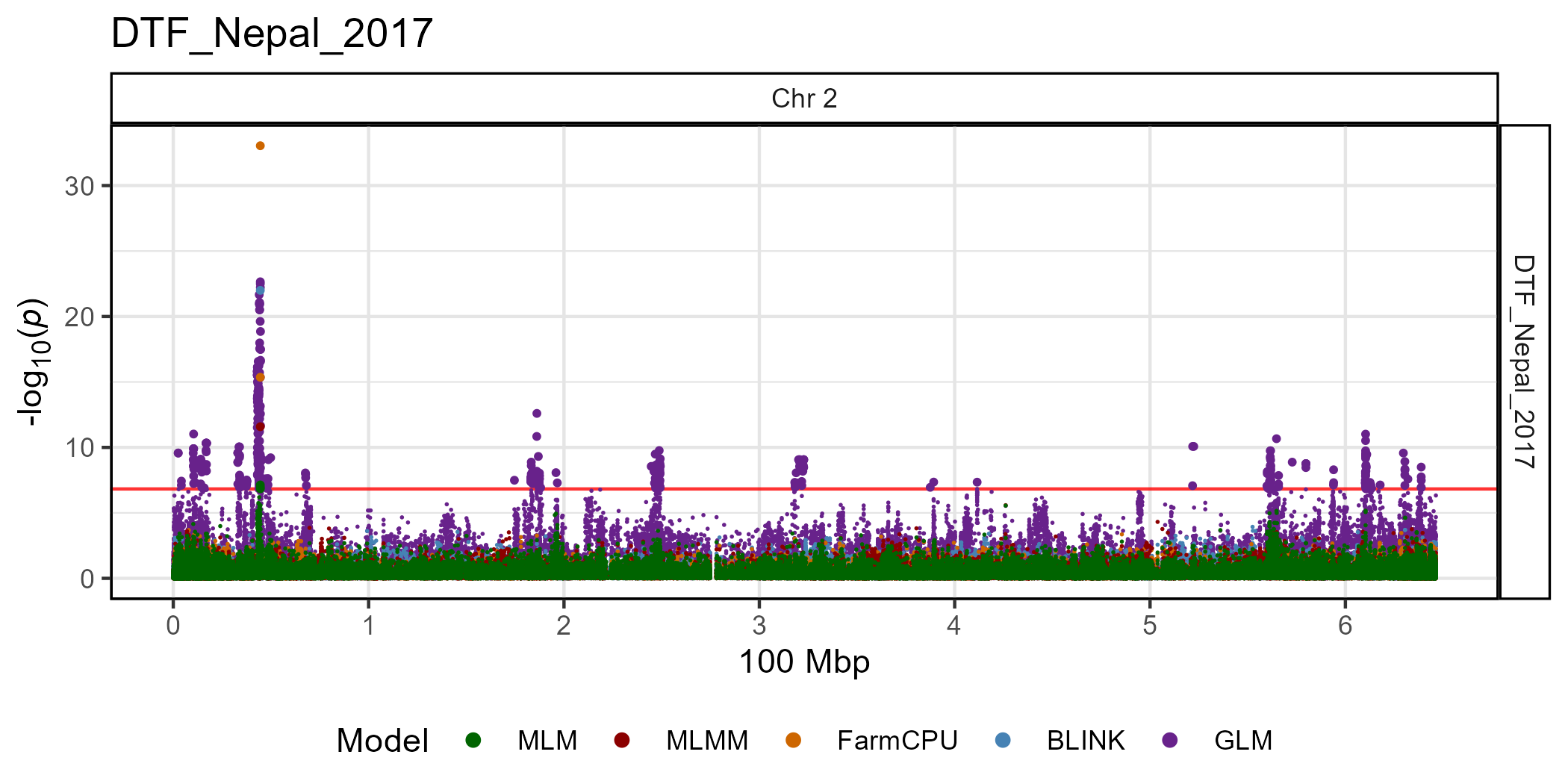
Customized plots
The default for gg_Manhattan() is to set the plot
title = paste(traits, collapse = " "), but this can be
changed. You can also adjust the threshold and add
asug.threshold. If specified, markers can be
highlighted and have their labels customized. Adding
vlines can be used to aid in comparisons with other
manhattan plots or accross GWAS models. vlines
can be customized with vline.colors and
vline.types. You can Select which GWAS models
to plot and set the colors of each with model.colors.
Significant associations can also be highlighted by setting
highlight.sig and sig.color. The QQ plot can
also be removed by setting addQQ = F.
DTF Nepal 2017
# Plot
mp <- gg_Manhattan(
  # Specify a folder with GWAS results
  folder = "GWAS_Results/",
  # Select a trait to plot
  traits = "DTF_Nepal_2017",
  # Create a title for the plot
  title = "DTF Nepal 2017",
  # Set horizontal thresholds bars
  threshold = 6.7,
  sug.threshold = 5,
  # Highlight specific markers
  markers = c("Lcu.1GRN.Chr2p44545877",
              "Lcu.1GRN.Chr5p1658484"),
  labels = c("M1", "M2"),
  # Add vertical lines
  vlines = c("Lcu.1GRN.Chr2p44545877",
             "Lcu.1GRN.Chr5p1658484",
             "Lcu.1GRN.Chr6p3269280" ),
  vline.colors = c("red", "red", "blue"),
  vline.types = c(1, 1, 2),
  # Change the legend alignment
  legend.box = "vertical",
  # Select GWAS models
  models = c("MLM", "MLMM", "FarmCPU", "BLINK"),
  # Set colors for each GWAS model
  model.colors = c("darkgreen", "darkred", "darkorange3", "steelblue"),
  # Highlight significant associations
  highlight.sig = T,
  # Highlight color
  sig.color = "black",
  # Remove the QQ plot
  addQQ = F )
# Save
ggsave("figures/gg_Manhattan_05_1.png",
       mp, width = 8, height = 3.5, bg = "white" )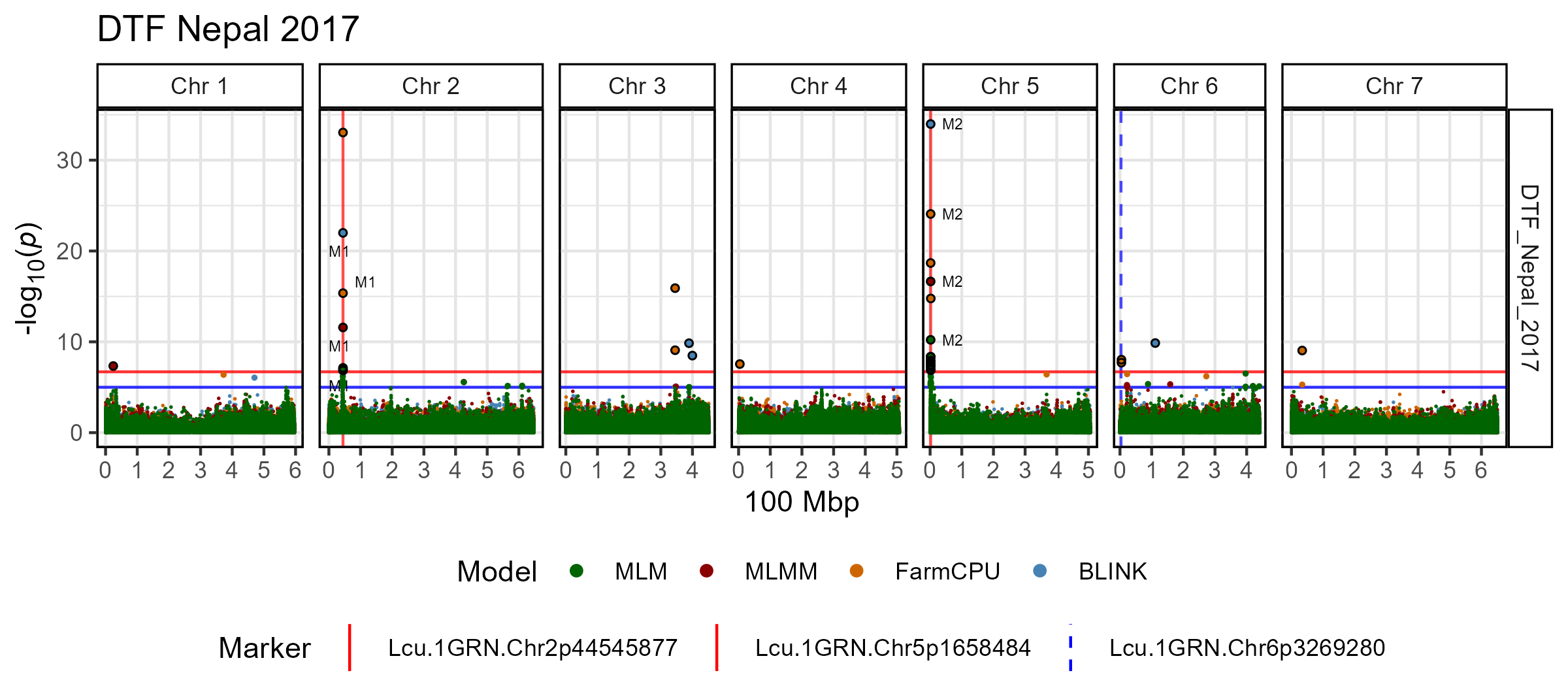
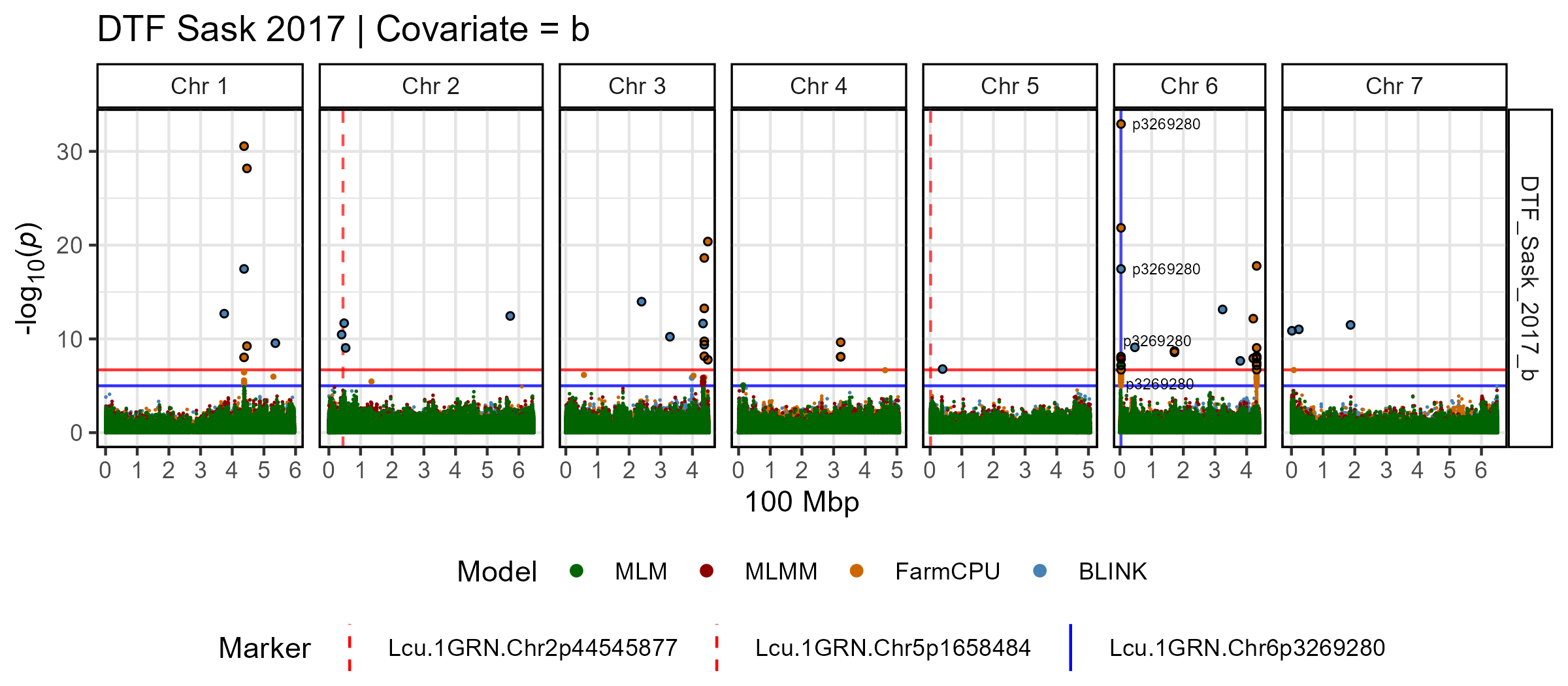
DTF Sask 2017 | Covariate = b
# Plot
mp <- gg_Manhattan(
  # Specify a folder with GWAS results
  folder = "GWAS_Results/",
  # Select a trait to plot
  traits = "DTF_Sask_2017_b",
  # Create a title for the plot
  title = "DTF Sask 2017 | Covariate = b",
  # Set horizontal thresholds bars
  threshold = 6.7,
  sug.threshold = 5,
  # Highlight specific markers
  markers = "Lcu.1GRN.Chr6p3269280",
  labels = "p3269280",
  # Add vertical lines
  vlines = c("Lcu.1GRN.Chr2p44545877",
             "Lcu.1GRN.Chr5p1658484",
             "Lcu.1GRN.Chr6p3269280" ),
  vline.colors = c("red", "red", "blue"),
  vline.types = c(2, 2, 1),
  # Change the legend alignment
  legend.box = "vertical",
  # Select GWAS models
  models = c("MLM", "MLMM", "FarmCPU", "BLINK"),
  # Set colors for each GWAS model
  model.colors = c("darkgreen", "darkred", "darkorange3", "steelblue"),
  # Highlight significant associations
  highlight.sig = T,
  # Highlight color
  sig.color = "black",
  # Remove the QQ plot
  addQQ = F )
# Save
ggsave("figures/gg_Manhattan_05_2.png",
       mp, width = 8, height = 3.5, bg = "white" )