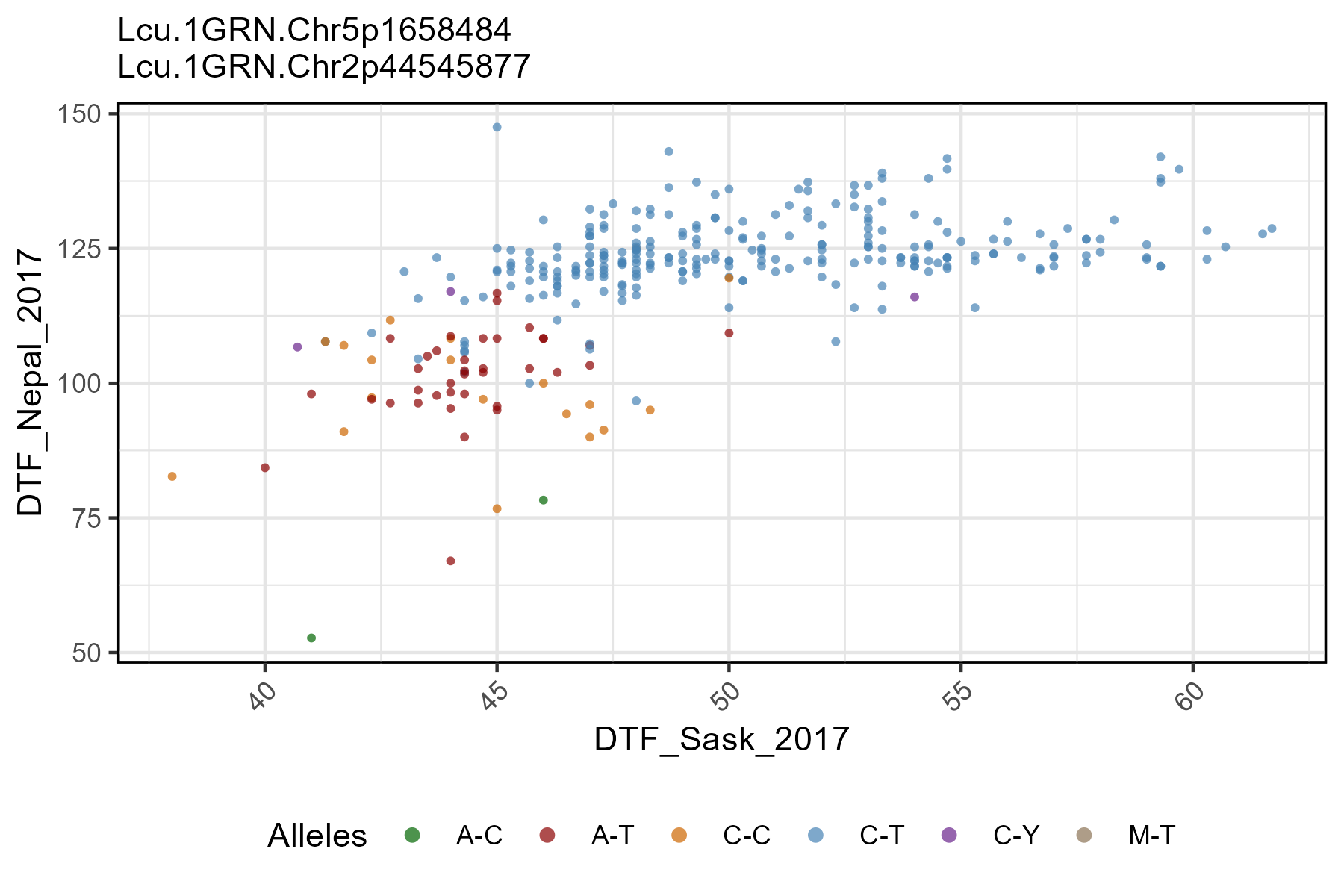
The function gg_Marker_Scatter() creates marker plots
with your myY and myG GWAS input files.
Load data
Note:
header = T
# Load genotype file (note: header = T)
myG <- read.csv("gwaspr_myG_hmp.csv", header = T)
# Load phenotype file
myY <- read.csv("gwaspr_myY.csv")
Single marker, two traits
Specifying a trait.x, trait.y, and
markers along with your genotype and phenotype data as
xG and xY is needed to create marker
plots.
# Plot
mp <- gg_Marker_Scatter(
  # Genotype data
  xG = myG,
  # Phenotype data
  xY = myY,
  # Select traits to plot
  trait.x = "DTF_Sask_2017",
  trait.y = "DTF_Nepal_2017",
  # Select markers to plot
  markers = "Lcu.1GRN.Chr6p3269280" )
# Save
ggsave("figures/gg_Marker_Scatter_01.png",
       mp, width = 6, height = 4 )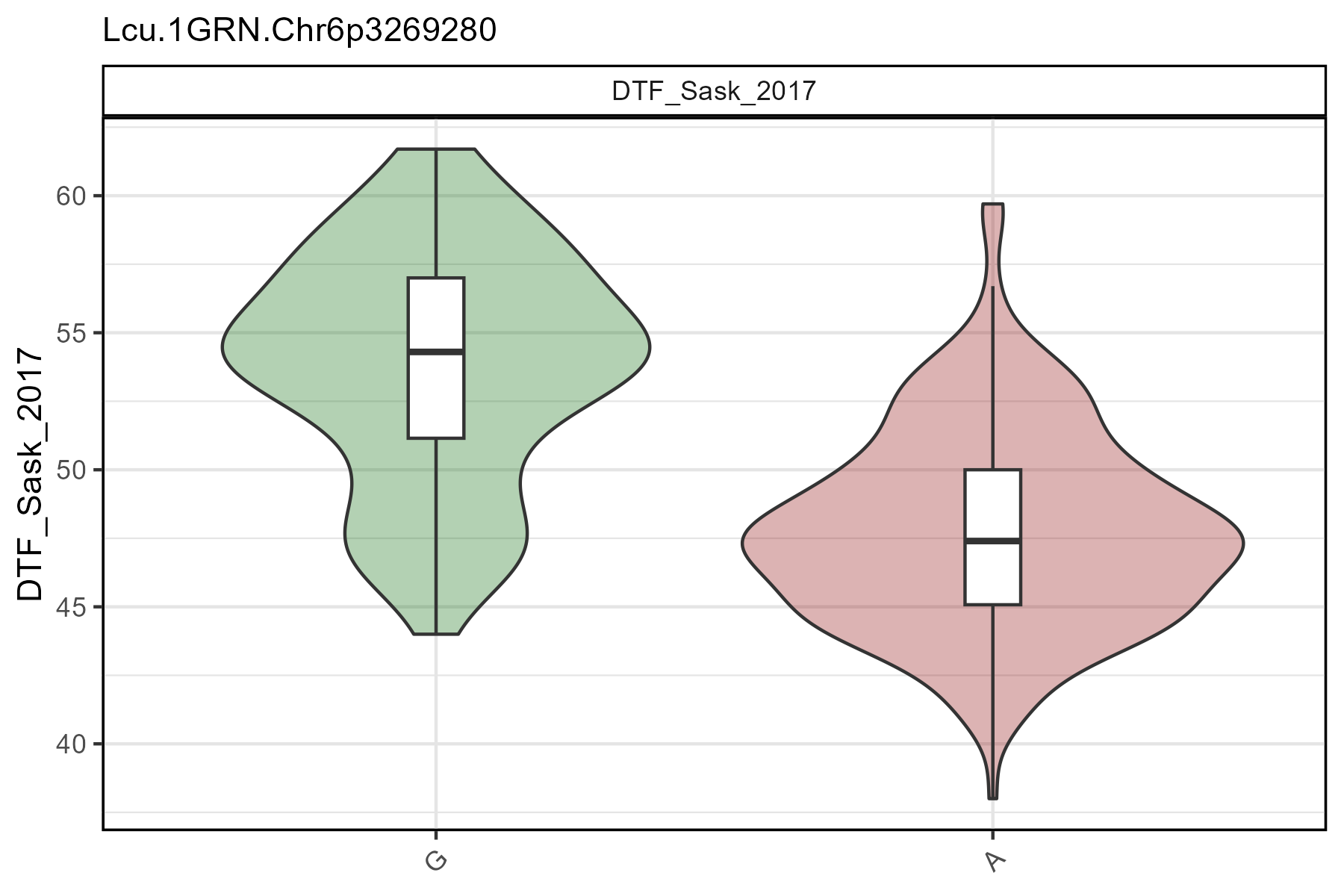
All options
gg_Marker_Bar() contains a number of different options
for customizing the marker plots.
# Prep data
markers <- c("Lcu.1GRN.Chr6p3269280")
# Plot
mp <- gg_Marker_Scatter(
  xG = myG,
  xY = myY,
  trait.x = "DTF_Sask_2017",
  trait.y = "DTF_Nepal_2017",
  markers = markers,
  marker.colors = gwaspr_Colors,
  remove.hets = F,
  point.size = 1,
  title = NULL,
  legend.rows = 1,
  subtitle = paste(markers, collapse = "\n") )
# Save
ggsave("figures/gg_Marker_Scatter_02.png",
       mp, width = 6, height = 4 )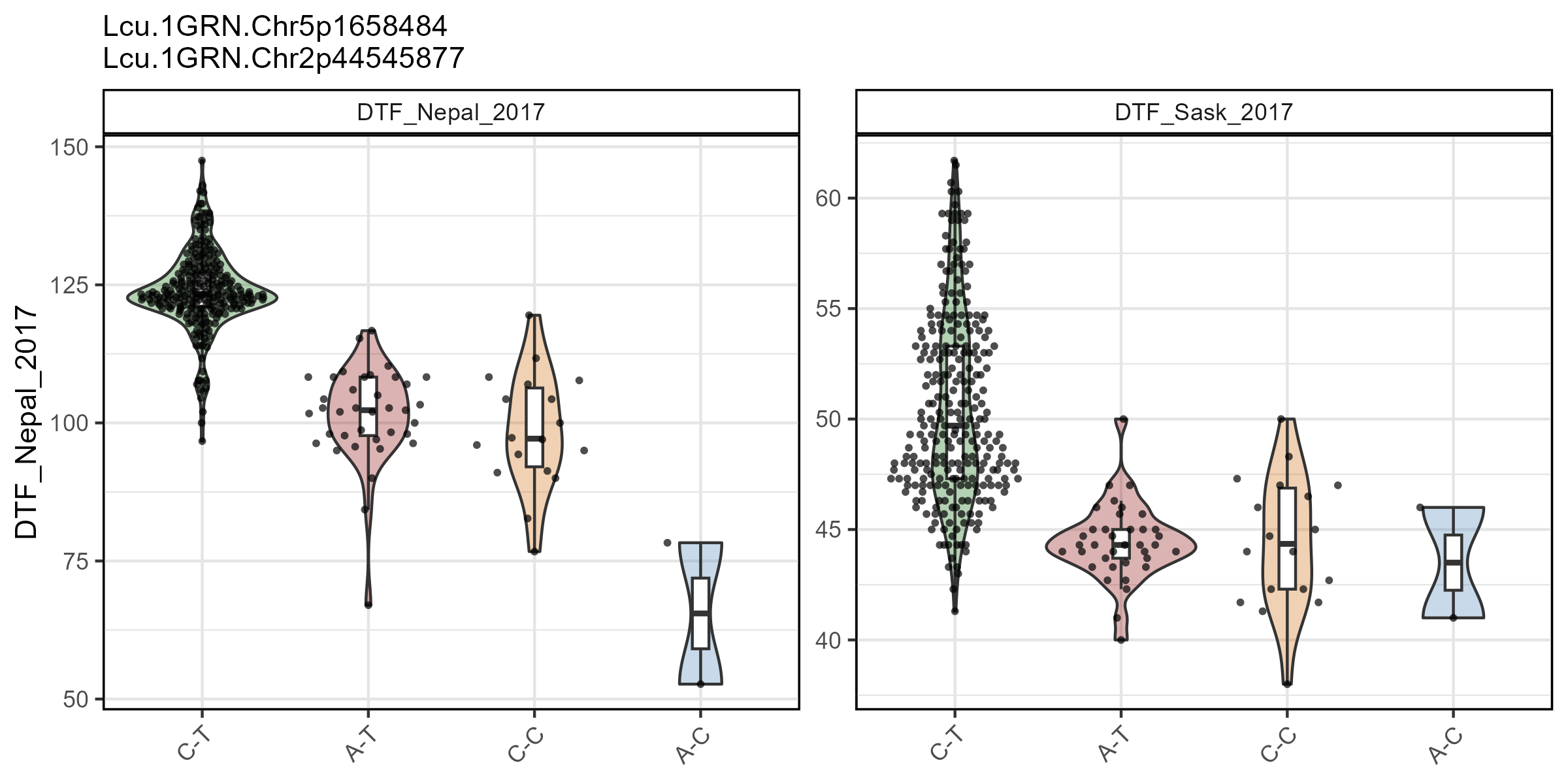
Multiple markers
# Plot
mp <- gg_Marker_Scatter(
  # Genotype data
  xG = myG,
  # Phenotype data
  xY = myY,
  # Select traits to plot
  trait.x = "DTF_Sask_2017",
  trait.y = "DTF_Nepal_2017",
  # Select markers to plot
  markers = c("Lcu.1GRN.Chr5p1658484", "Lcu.1GRN.Chr2p44545877") )
# Save
ggsave("figures/gg_Marker_Scatter_03.png",
       mp, width = 6, height = 4 )