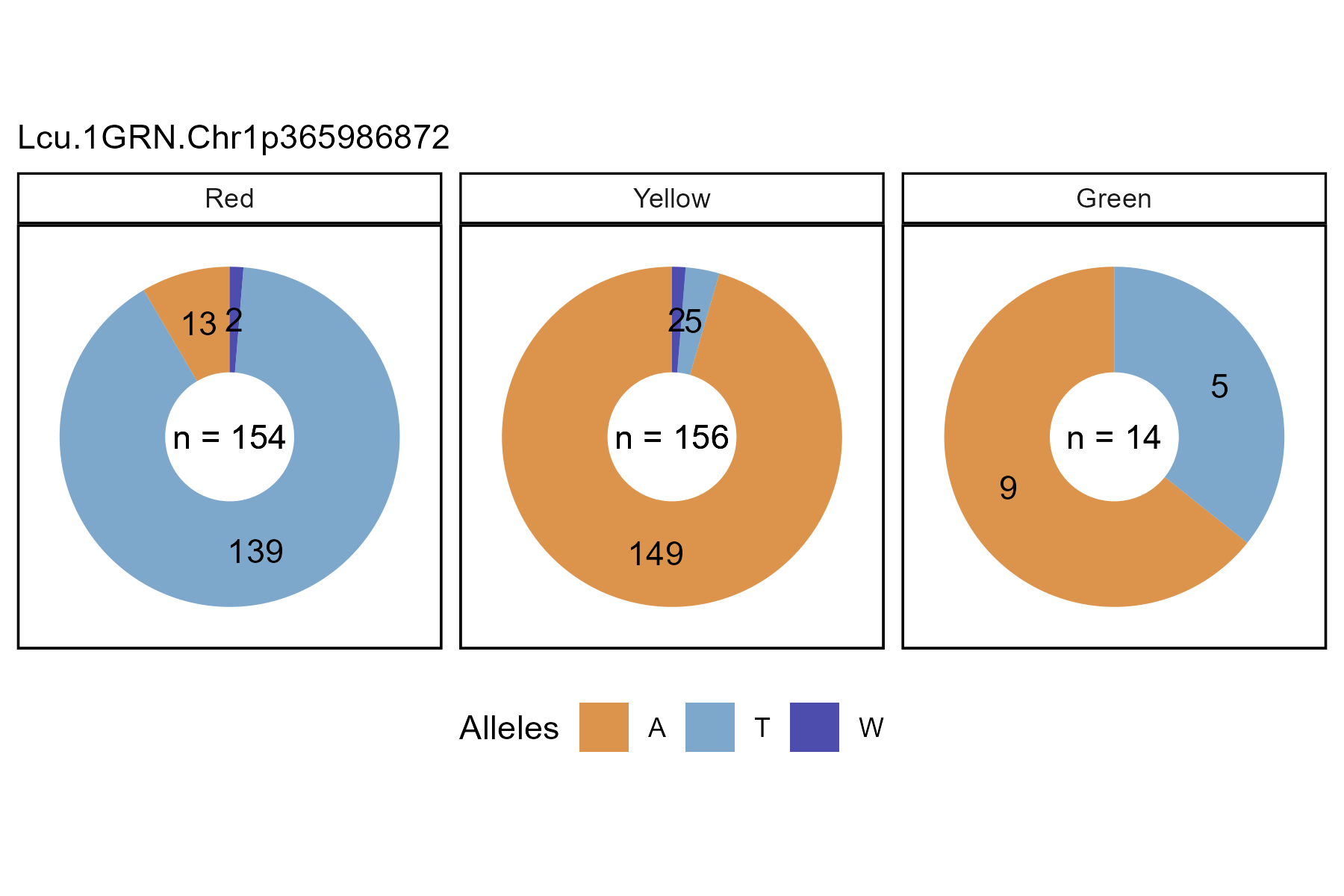
The function gg_Marker_Pie() creates marker plots with
your myY and myG GWAS input files.
Load data
Note:
header = T
# Load genotype file (note: header = T)
myG <- read.csv("gwaspr_myG_hmp.csv", header = T)
# Load phenotype file
myY <- read.csv("gwaspr_myY.csv")
# Convert our nominal trait from numeric to factor.
myY <- myY %>%
  mutate(Cotyledon_Color = mv(Cotyledon_RedvsYellow, c(1, 0, NA), c("Red", "Yellow", "Green")),
         Cotyledon_Color = factor(Cotyledon_Color, levels = c("Red", "Yellow", "Green")))
myY[1:10,]## Name DTF_Sask_2017 DTF_Nepal_2017 Cotyledon_RedvsYellow
## 1 CDC_Asterix_AGL 54.7 128.0 0
## 2 CDC_Rosie_AGL 59.0 123.3 1
## 3 X3156.11_AGL 60.7 125.3 1
## 4 CDC_Greenstar_AGL 56.7 121.0 0
## 5 CDC_Cherie_AGL 54.3 125.3 1
## 6 CDC_Glamis_AGL 59.0 123.0 0
## 7 CDC_Gold_AGL 54.0 125.3 0
## 8 CDC_Imax_AGL 53.0 128.7 1
## 9 CDC_Impower_AGL 57.0 123.3 0
## 10 CDC_KR.1_AGL 57.0 121.7 1
## Cotyledon_Color
## 1 Yellow
## 2 Red
## 3 Red
## 4 Yellow
## 5 Red
## 6 Yellow
## 7 Yellow
## 8 Red
## 9 Yellow
## 10 RedSingle marker, single trait
Specifying a trait and markers along with
your genotype and phenotype data as xG and xY
is needed to create marker plots.
# Plot
mp <- gg_Marker_Pie(
  # Genotype data
  xG = myG,
  # Phenotype data
  xY = myY,
  # Select traits to plot
  trait = "Cotyledon_Color",
  # Select markers to plot
  markers = "Lcu.1GRN.Chr1p365986872",
  # Select marker colors
  marker.colors = c("darkred", "darkgoldenrod2", "darkgreen") )
# Save
ggsave("figures/gg_Marker_Pie_01.png",
       mp, width = 6, height = 4 )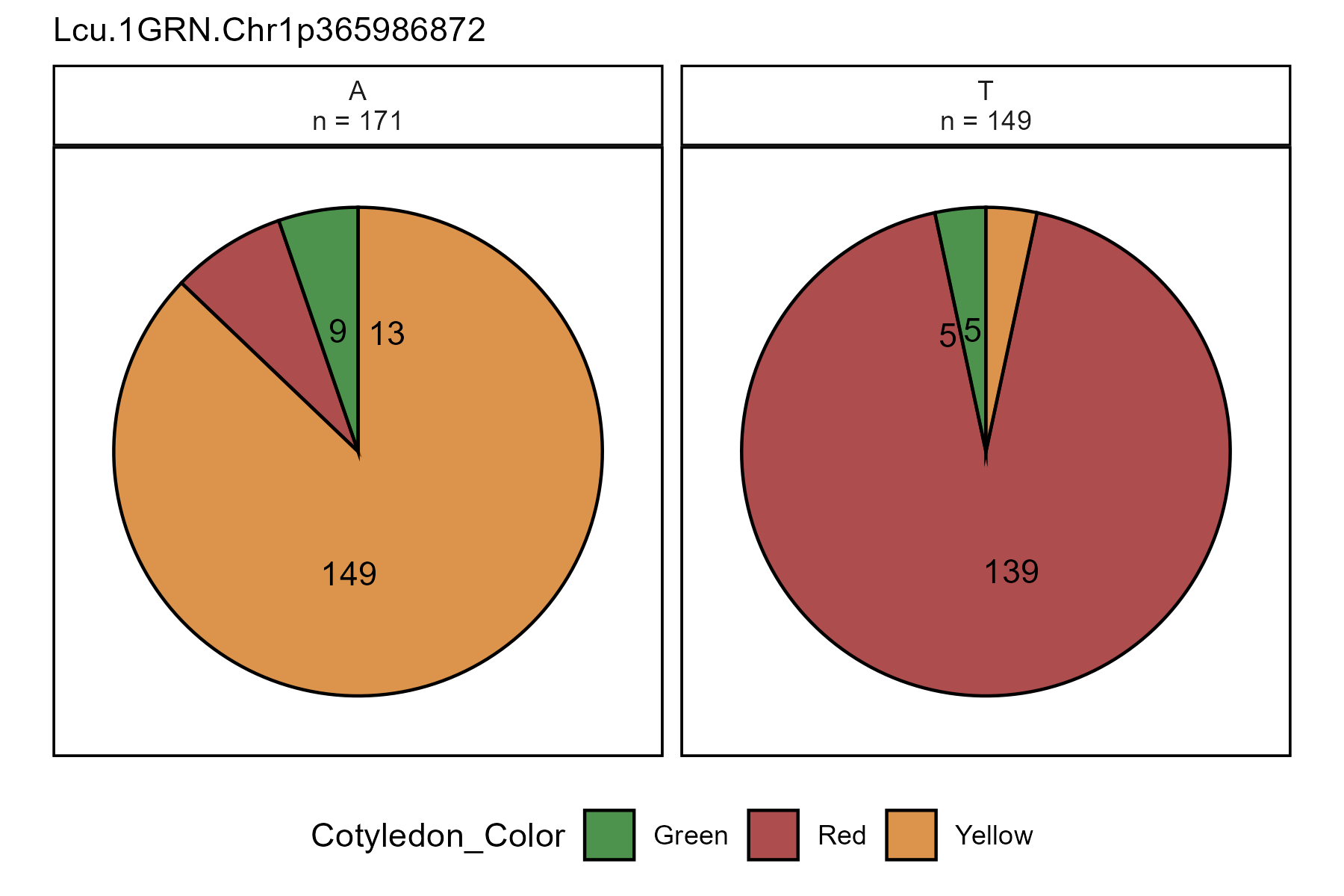
All options
gg_Marker_Bar() contains a number of different options
for customizing the marker plots.
# Prep data
markers <- c("Lcu.1GRN.Chr1p365986872")
# Plot
mp <- gg_Marker_Pie(
  xG = myG,
  xY = myY,
  trait = "Cotyledon_Color",
  markers = markers,
  marker.colors = c("darkred", "darkgoldenrod2", "darkgreen"),
  trait.label = "Cotyledon Color",
  trait.levels = NULL,
  remove.hets = F,
  remove.N = T,
  title = NULL,
  subtitle = paste(markers, collapse = "\n"),
  ncol = NULL,
  legend.rows = 1,
  removeHets = T,
  groupByTrait = F )
# Save
ggsave("figures/gg_Marker_Pie_02.png",
       mp, width = 6, height = 4 )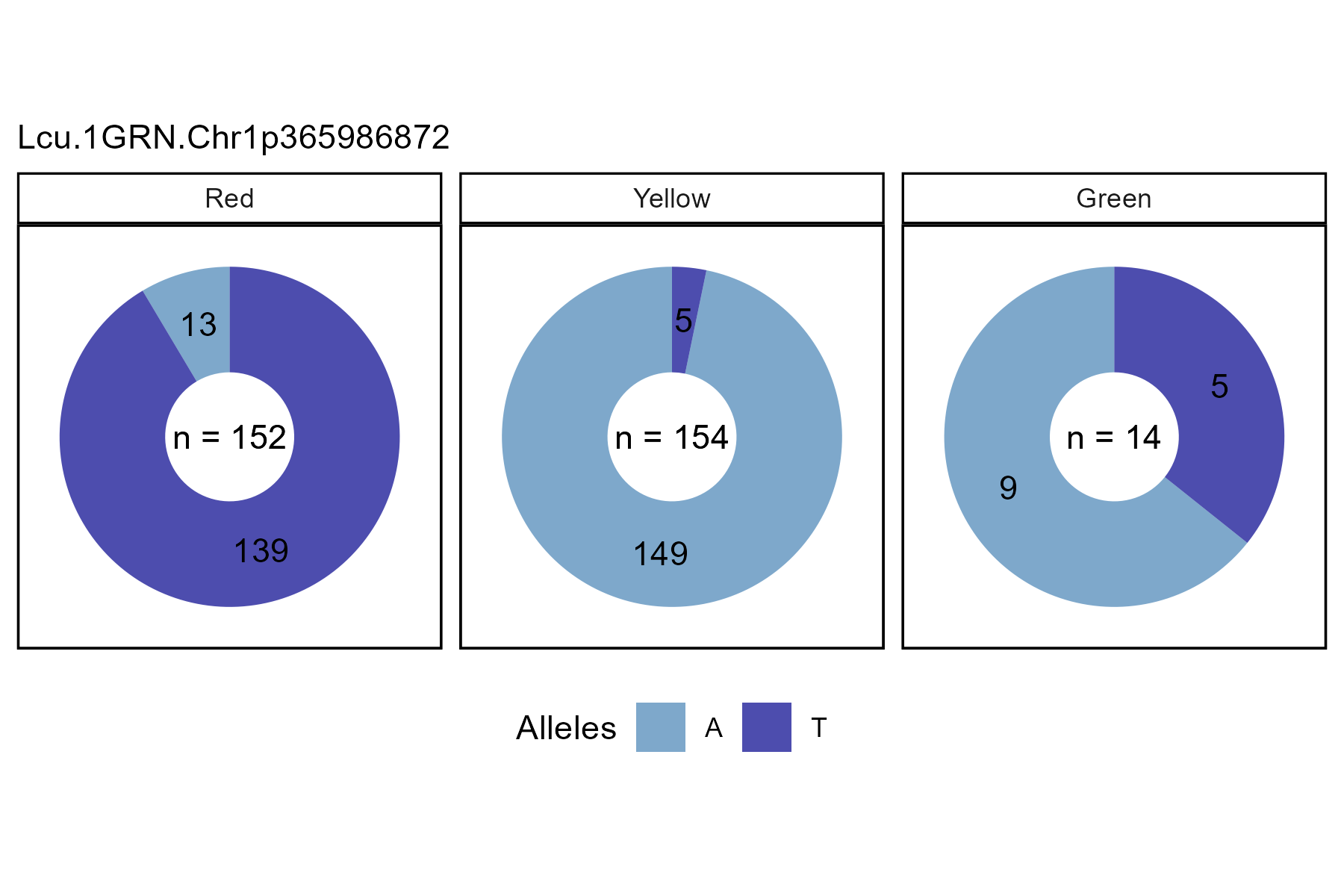
Switch facetting
Set groupByTrait = T to switch from facetting by markers
to facetting by trait.
# Plot
mp <- gg_Marker_Pie(
  # Genotype data
  xG = myG,
  # Phenotype data
  xY = myY,
  # Select traits to plot
  trait = "Cotyledon_Color",
  # Select markers to plot
  markers = "Lcu.1GRN.Chr1p365986872",
  # Select marker colors
  marker.colors = c("darkorange3", "steelblue", "darkblue"),
  # Make pies of each trait instead of each marker
  groupByTrait = T )
# Save
ggsave("figures/gg_Marker_Pie_03.png",
       mp, width = 6, height = 4 )