Due to the large size of most genomes, small shifts in the x-axis on a standard manhattan plot can result in large distances.
The function gg_Manhattan_Zoom() creates manhattan plots
from GAPIT GWAS results zoomed into a specific region on a
chromosome.
Specifying a folder, traits and a
chr (defaults to 1 if not specified) is all that is needed
to create zoomed in manhattan plots.
Single trait
# Plot
mp <- gg_Manhattan_Zoom(
  # Specify a folder with GWAS results
  folder = "GWAS_Results/",
  # Select traits to plot
  traits = "Cotyledon_RedvsYellow",
  # Plot just Chromosome 1
  chr = 1 )
# Save
ggsave("figures/gg_Manhattan_Zoom_01_1.png",
       mp, width = 8, height = 4, bg = "white" )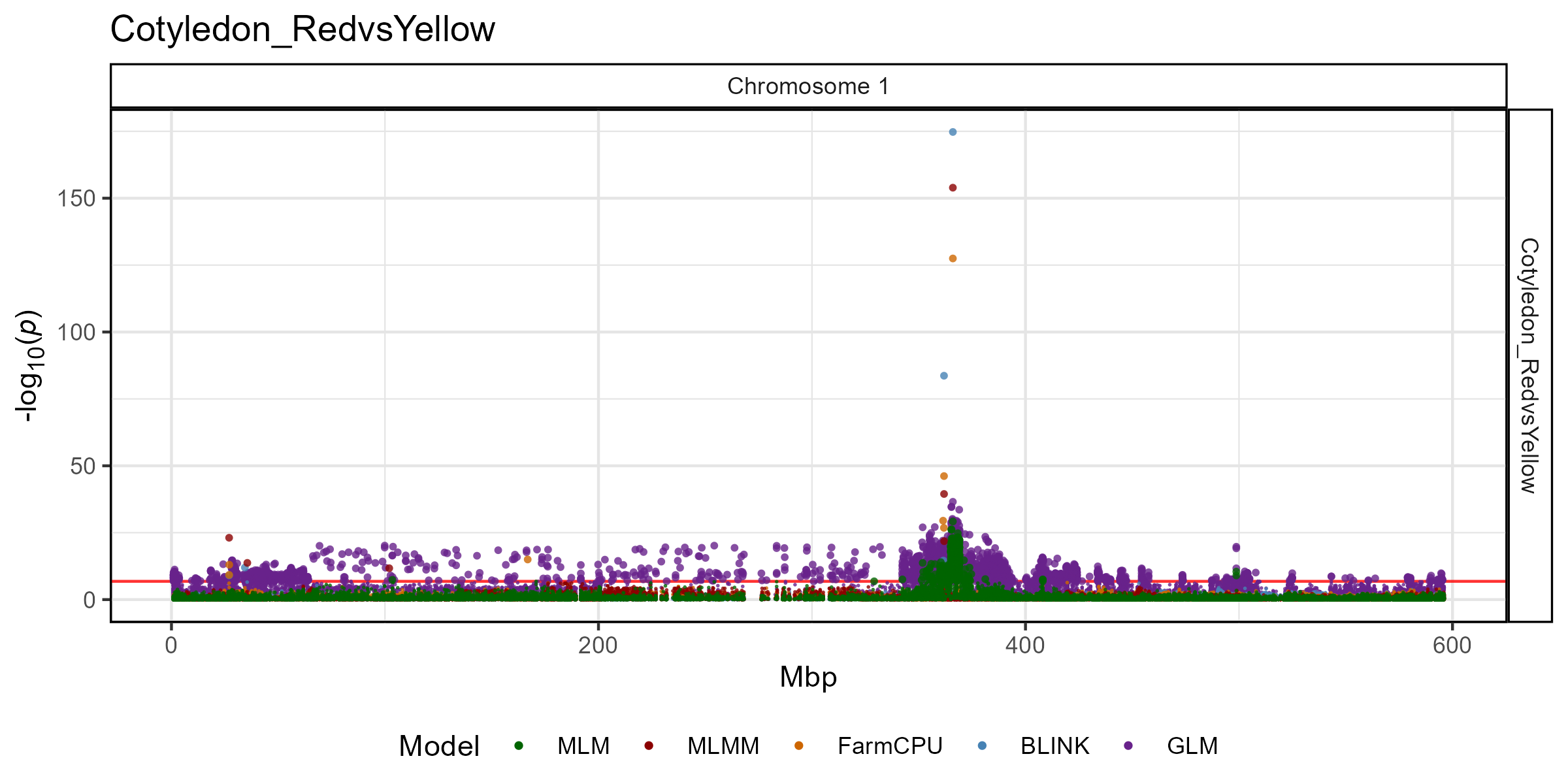
All Options
# Prep data
traits <- "Cotyledon_RedvsYellow"
markers <- "Lcu.1GRN.Chr1p365986872"
vlines <- markers
# Plot
mp <- gg_Manhattan_Zoom(
  folder = "GWAS_Results/",
  traits = traits,
  chr = 1,
  pos1 = NULL, pos2 = NULL,
  title = paste(traits, collapse = " "),
  addGenome = F,
  threshold = NULL,
  sug.threshold = NULL,
  markers = NULL,
  labels = markers,
  vlines = markers,
  vline.colors = rep("red", length(vlines)),
  vline.types = rep(1, length(vlines)),
  vline.legend = T,
  facet.model = F,
  pmax = NULL,
  models =  c("MLM", "MLMM", "FarmCPU", "BLINK",  "GLM", "CMLM", "SUPER"),
  model.colors = c("darkgreen", "darkred", "darkorange3", "steelblue", "darkorchid4", "blue2", "magenta3"),
  trait.colors = gwaspr_Colors,
  sig.color = "black",
  legend.rows = 1,
  legend.box = "horizontal",
  point.sizes = c(0.3,1,0.75),
  plotHBPvalues = F,
  skyline = "NYC" )
# Save
ggsave("figures/gg_Manhattan_Zoom_01_2.png",
       mp, width = 8, height = 4, bg = "white" )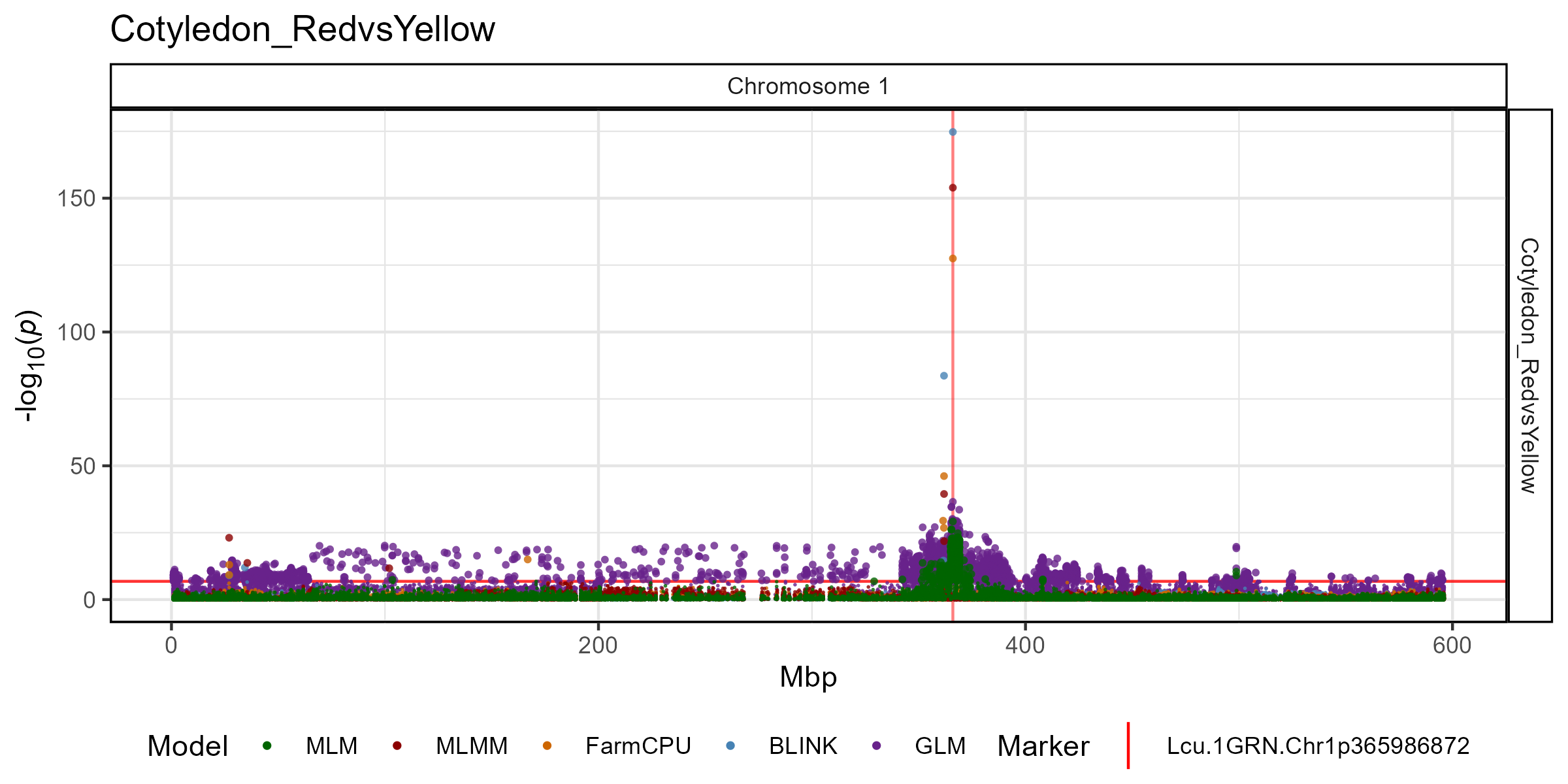
Zoomed in
Any Region within a chromosome can be plotted by specifying
pos1 and pos2. Additionally, the genome can be
added with addGenome = T
# Plot
mp <- gg_Manhattan_Zoom(
  # Specify a folder with GWAS results
  folder = "GWAS_Results/",
  # Select a trait to plot
  traits = "Cotyledon_RedvsYellow",
  # Plot just Chromosome 1
  chr = 1,
  pos1 = 300000000,
  pos2 = 400000000,
  # Highlight specific markers
  markers = "Lcu.1GRN.Chr1p365986872",
  # Create alt labels for the markers
  labels = "365Mbp",
  # Specify Color for each marker vline
  vline.colors = "red",
  # Should models be facetted
  addGenome = T )
# Save
ggsave("figures/gg_Manhattan_Zoom_01_3.png",
       mp, width = 8, height = 6, bg = "white" )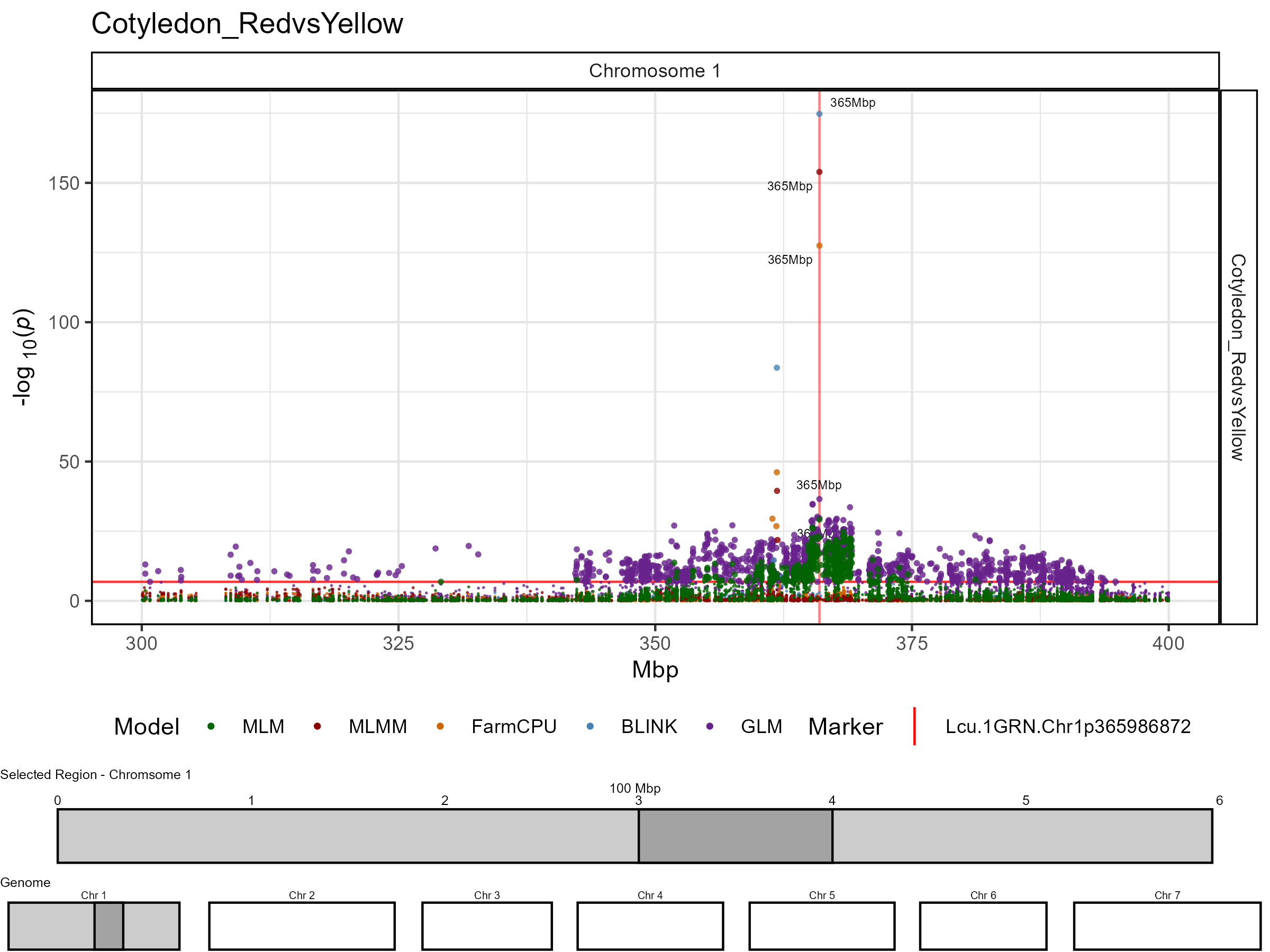
Multiple traits
# Plot
mp <- gg_Manhattan_Zoom(
  # Specify a folder with GWAS results
  folder = "GWAS_Results/",
  # Select traits to plot
  traits = c("DTF_Sask_2017","DTF_Sask_2017_b","DTF_Nepal_2017"),
  # Plot just Chromosome 2
  chr = 2,
  # Highlight specific markers
  vlines = "Lcu.1GRN.Chr2p44545877",
  # Plot only certain GWAS models
  models = c("MLM", "MLMM", "FarmCPU", "BLINK") )
# Save
ggsave("figures/gg_Manhattan_Zoom_02_1.png",
       mp, width = 8, height = 6 )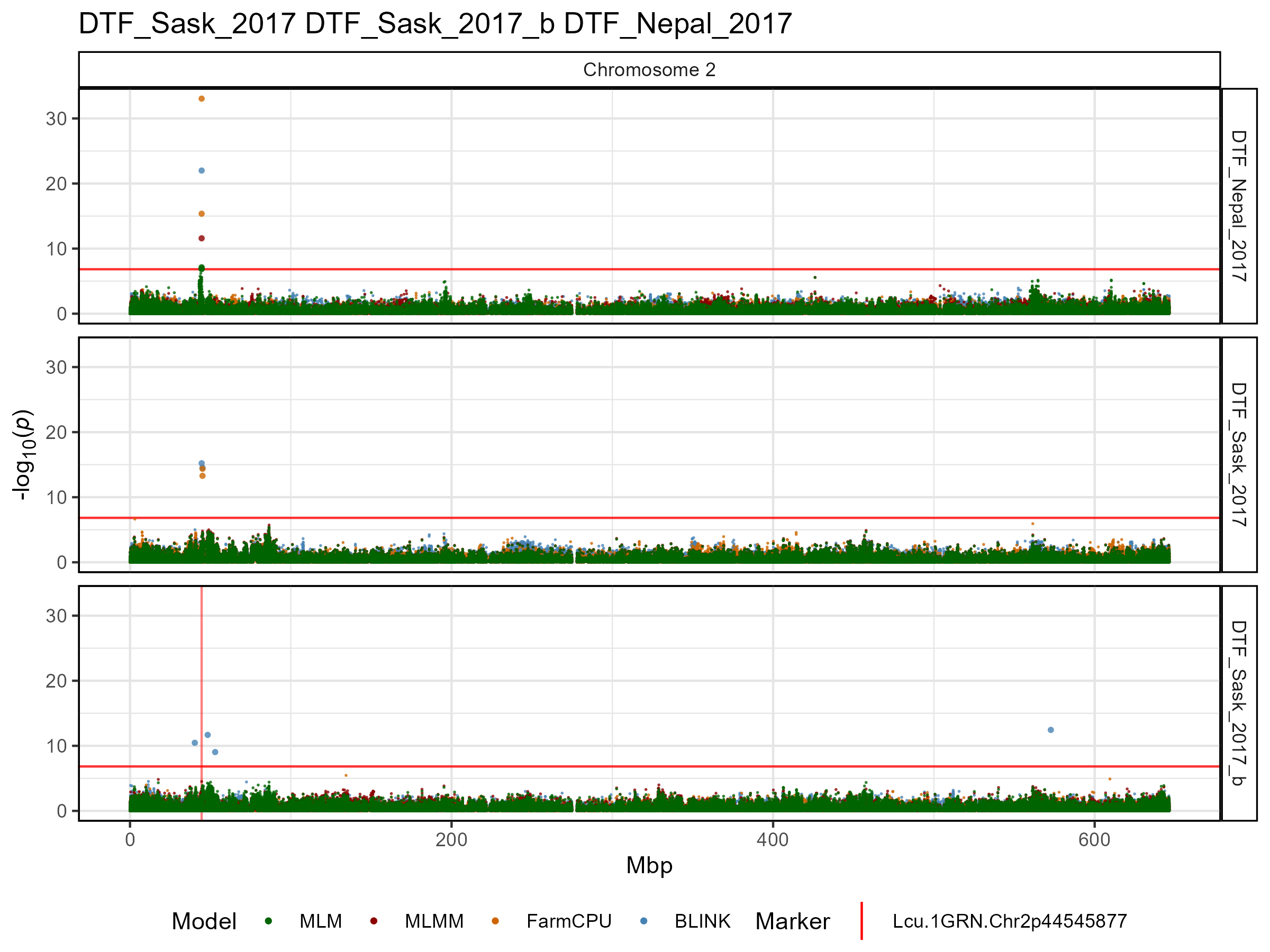
Facet by model
The default for gg_Manhattan_Zoom() is to set
facet.model = F and plot all GWAS models together. However,
if facet.model = T, then the different GWAS models can be
separated.
# Plot
mp <- gg_Manhattan_Zoom(
  # Specify a folder with GWAS results
  folder = "GWAS_Results/",
  # Select traits to plot
  traits = "Cotyledon_RedvsYellow",
  # Plot just Chromosome 1
  chr = 1,
  # Should models be facetted
  facet.model = T )
# Save
ggsave("figures/gg_Manhattan_Zoom_03_1.png",
       mp, width = 8, height = 8, bg = "white" )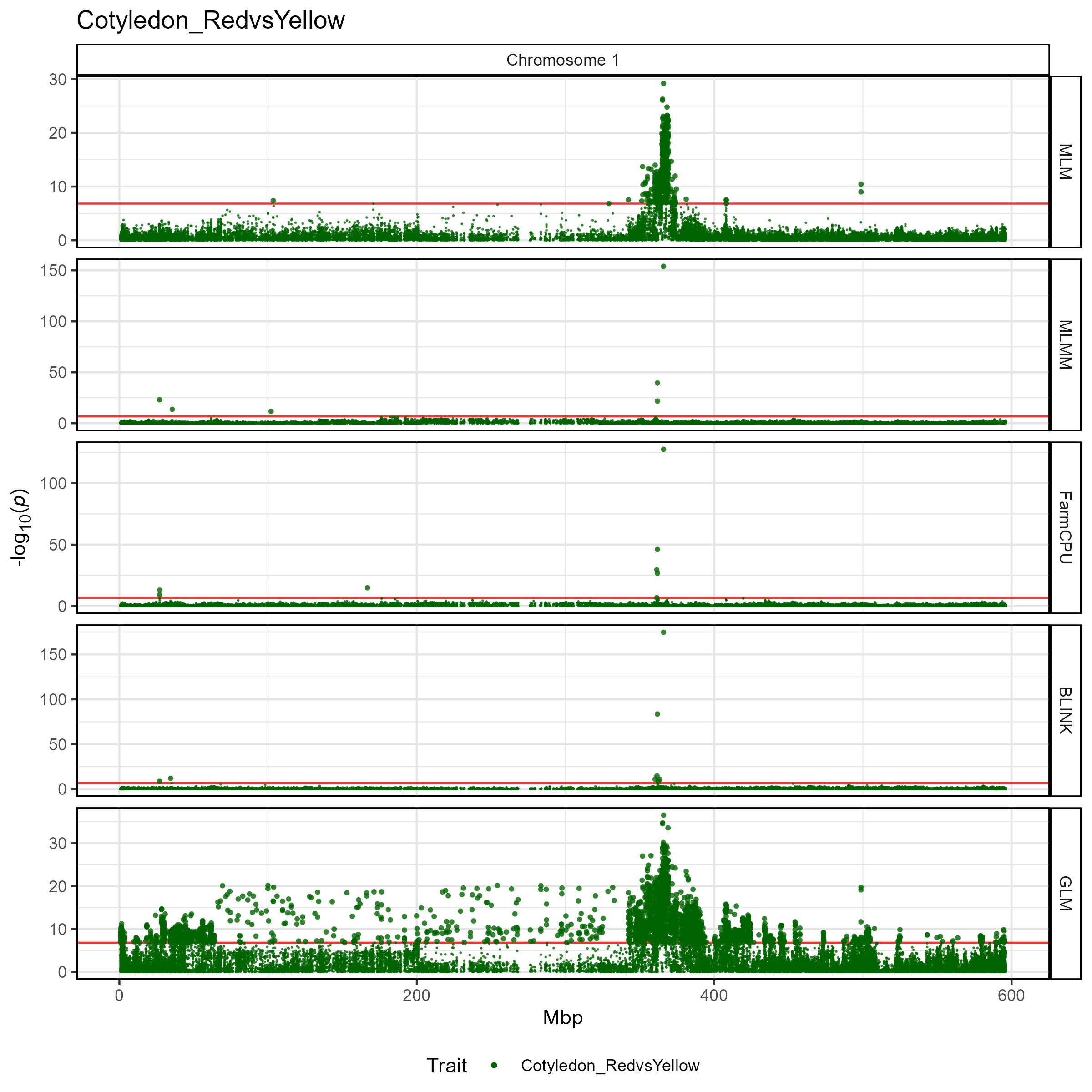
Multiple traits
# Plot
mp <- gg_Manhattan_Zoom(
  # Specify a folder with GWAS results
  folder = "GWAS_Results/",
  # Select traits to plot
  traits = c("DTF_Sask_2017", "DTF_Sask_2017_b", "DTF_Nepal_2017"),
  # Highlight specific markers
  vlines = "Lcu.1GRN.Chr2p44545877",
  # Plot just Chromosome 2
  chr = 2, #pos1 = 40000000, pos2 = 50000000,
  # Plot only certain GWAS models
  models =  c("MLM", "MLMM", "FarmCPU", "BLINK"),
  # Should models be facetted
  facet.model = T )
# Save
ggsave("figures/gg_Manhattan_Zoom_03_2.png",
       mp, width = 8, height = 8 )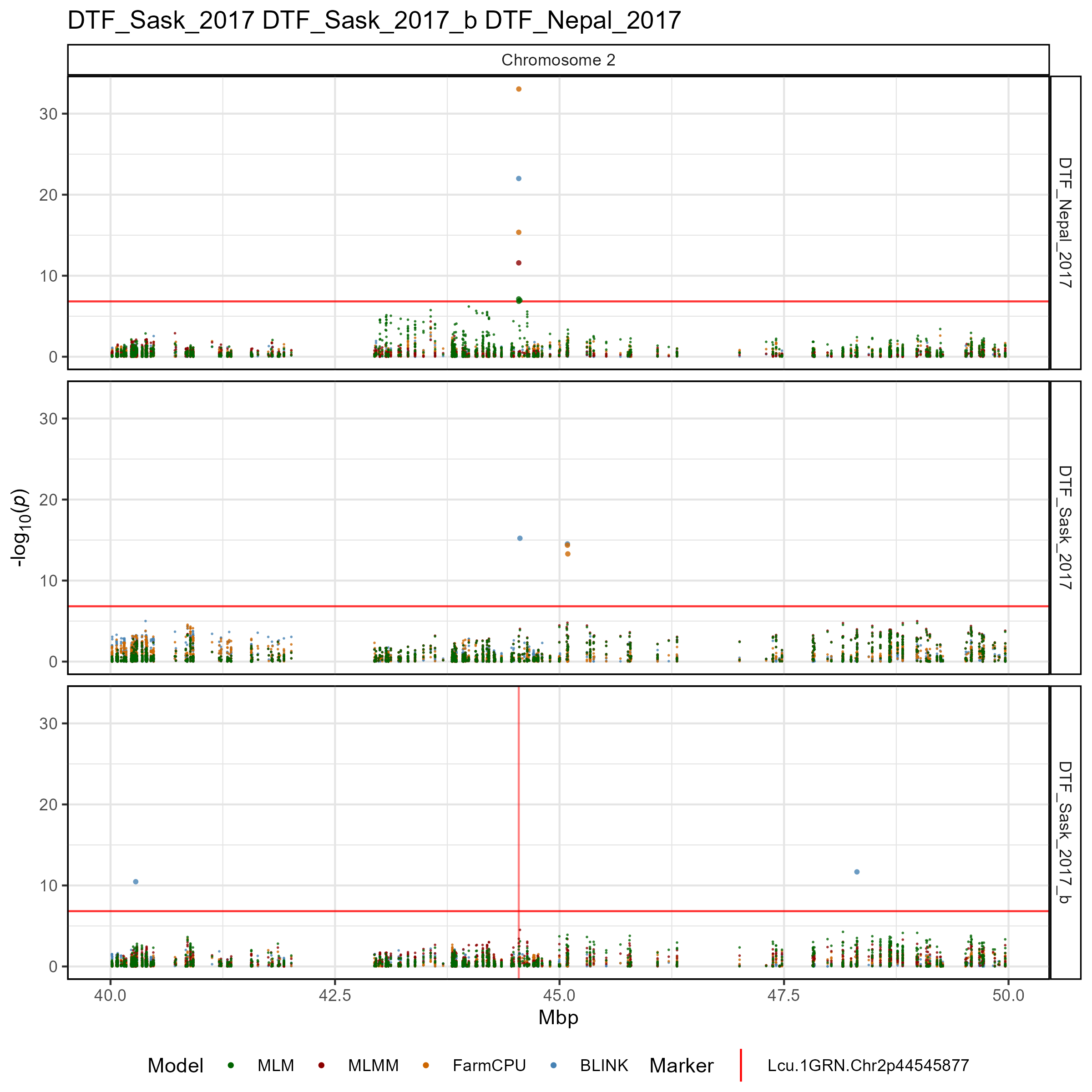
Customized plot
# Plot
mp <- gg_Manhattan_Zoom(
  # Specify a folder with GWAS results
  folder = "GWAS_Results/",
  # Select traits to plot
  traits = c("DTF_Sask_2017", "DTF_Sask_2017_b", "DTF_Nepal_2017"),
  # Highlight specific markers
  vlines = "Lcu.1GRN.Chr2p44545877",
  # Plot just Chromosome 2
  chr = 2, pos1 = 40000000, pos2 = 50000000,
  # Plot only certain GWAS models
  models =  c("MLM", "MLMM", "FarmCPU", "BLINK") )
# Save
ggsave("figures/gg_Manhattan_Zoom_03_2.png",
       mp, width = 8, height = 8 )
Plotly
Make it an interactive plot with the following code
gg_plotly(mp, filename = "figures/gg_Manhattan_Zoom_03_2.html")https://derekmichaelwright.github.io/gwaspr/vignettes/figures/gg_Manhattan_Zoom_03_2.html